
QR codes for business cards
Hand someone a card with a generic QR square on it and the card goes in a drawer. Hand them one where your face is the QR code, and they scan it on the spot: name, phone, email and website land in their contacts in a single tap.
Why a picture QR code on a business card actually gets used
A blank code gives nobody a reason to lift their phone. A code showing your portrait or your brand reads as an invitation, and it tells people where they are about to end up.
- It saves straight to contacts. The vCard sits in the code itself, so there is no landing page, no app and no second tap.
- It doubles as your photo. The headshot is the code, so the card stays clean instead of losing a corner to a black square.
- It prints crisply. SVG for the print shop, PNG for digital cards and email signatures.
- It never expires and never charges per scan. Generate it once and hand it out for years.
Three steps, about a minute
- Enter your contact details. Name, phone, email, company, website: anything that belongs on a vCard.
- Upload your portrait or logo. It becomes the background of the code.
- Download and send it to your print shop. PNG for digital, SVG for print and large format.
No account, no expiry date, no charge per scan.

Important tip: Always test your QR code in the environment where it will be used. Try scanning it with different devices and under various lighting conditions to make sure it works reliably for your audience.
Two ready-made templates to start from
Drop in your own portrait QR code and your contact details. Both are free to download and edit.
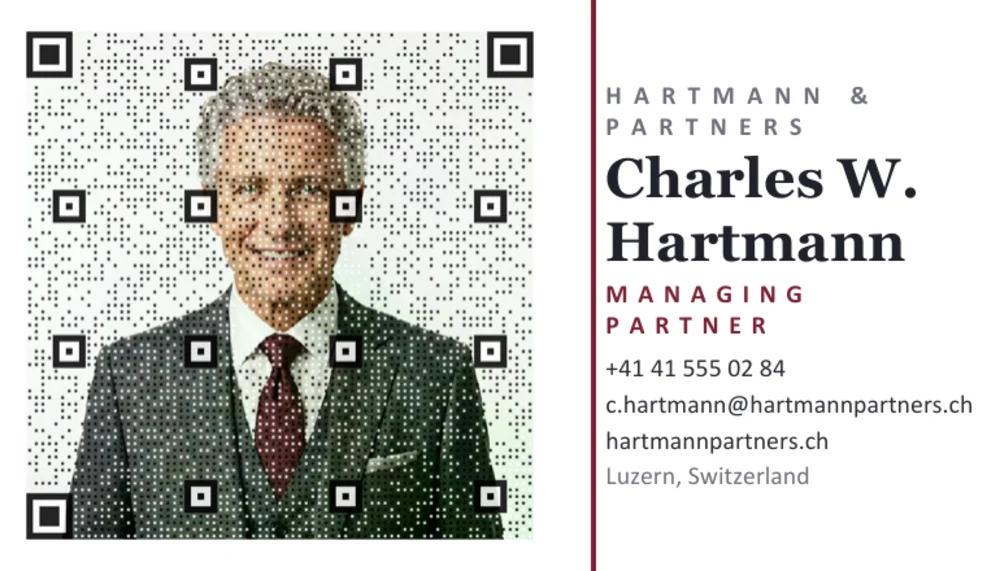
Classic landscape card. Portrait QR code on the left, contact block on the right. Edit it in Word and print from there.
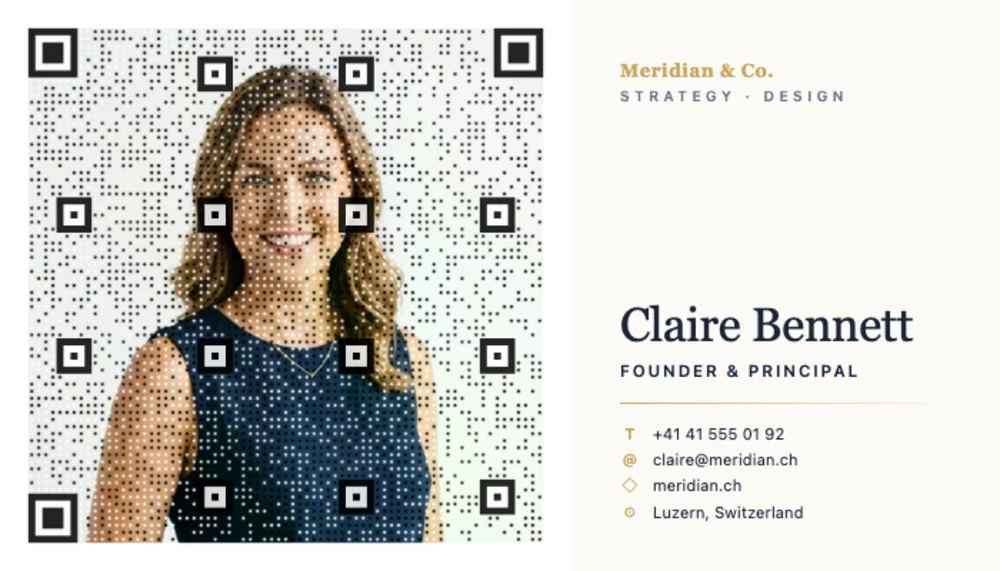
Two-sided HTML card. The front carries the portrait QR code and your contact details, the back the monogram and brand line. Edit the HTML in any text editor and print it from your browser.
Where a picture-QR business card pays off
- Networking events and conferences, where one tap puts you in their phone even if the card itself gets lost
- Client handoffs, where the card becomes a contact entry instead of another piece of paper
- Trade-show stands, where visitors scan from across the table with no typing and no typos
- Email signatures, where the same code works on screen exactly as it does on paper
- Lanyards and badges, so staff cards double as instant contact entries
- Property listings and sales, where your face sits on the flyer in the window and scans through the glass
Free vs Premium
Both versions produce the same code. Premium adds the print-ready export formats, removes the watermark, and carries the commercial-use licence that printed business cards require.
-
FREE
Free
0 /forever
- Beautiful Picture QR Codes
- Standard PNG download
- Unlimited test scans
- Works with every smartphone
- Includes “pictureqrcode.com” attribution
-
MOST POPULAR
Premium
CHF 29.90 (≈ EUR 34 / USD 40)
- Everything in Free, plus
- High-res 4000×4000 PNG for print
- Scalable SVG export, vector-perfect
- No “pictureqrcode.com” watermark
- Advanced pattern, mirror & mask controls
- 3 months of Premium — generated QR codes work forever
- Cleared for commercial use
Ready before your next event
The free version is fully working: your portrait as the code, no expiry, scans anywhere. Premium unlocks print-resolution exports and takes off the watermark, so the card looks like yours alone.