
Restaurant menu QR code generator
A generic black-and-white square does the job, but nobody looks at it twice. Build a code that carries your logo, your colours or a photo of your signature dish, and scanning becomes part of sitting down.
Why a picture QR code beats a plain one
A plain black square gives a guest nothing to go on. It could lead anywhere, so some of them simply don’t bother. A code that visibly belongs to your restaurant answers that question before it is asked.
- It looks like your restaurant, not like an IT part bolted onto the table
- Guests scan what looks deliberate and skip what looks improvised
- It prints cleanly on table tents, window decals, takeaway bags and business cards
- It never expires and never charges per scan, so you generate it once and keep using it
Three steps, about a minute
- Paste your menu link. An online menu, a PDF on your website, a Google Doc: anything with a URL.
- Upload your logo or a photo of a dish. It becomes the background of the code.
- Download it. PNG for screens, SVG for the print shop.
No account, no expiry date, no charge per scan.

Important tip: Always test your QR code in the environment where it will be used. Try scanning it with different devices and under various lighting conditions to make sure it works reliably for your audience.
Where restaurants put it
- Table tents, which see more scans than any other placement
- Window decals, so passers-by can read the menu before they decide to come in
- Takeaway bags and receipts, to bring delivery customers back to you directly
- Sandwich boards and A-frames, which turn footfall into walk-ins
- Business cards and flyers, for catering enquiries
- Receipts that link to a review form or a loyalty sign-up
Examples in context
How a branded code looks on real tables, windows and signage. Click any tile for the full-size version.

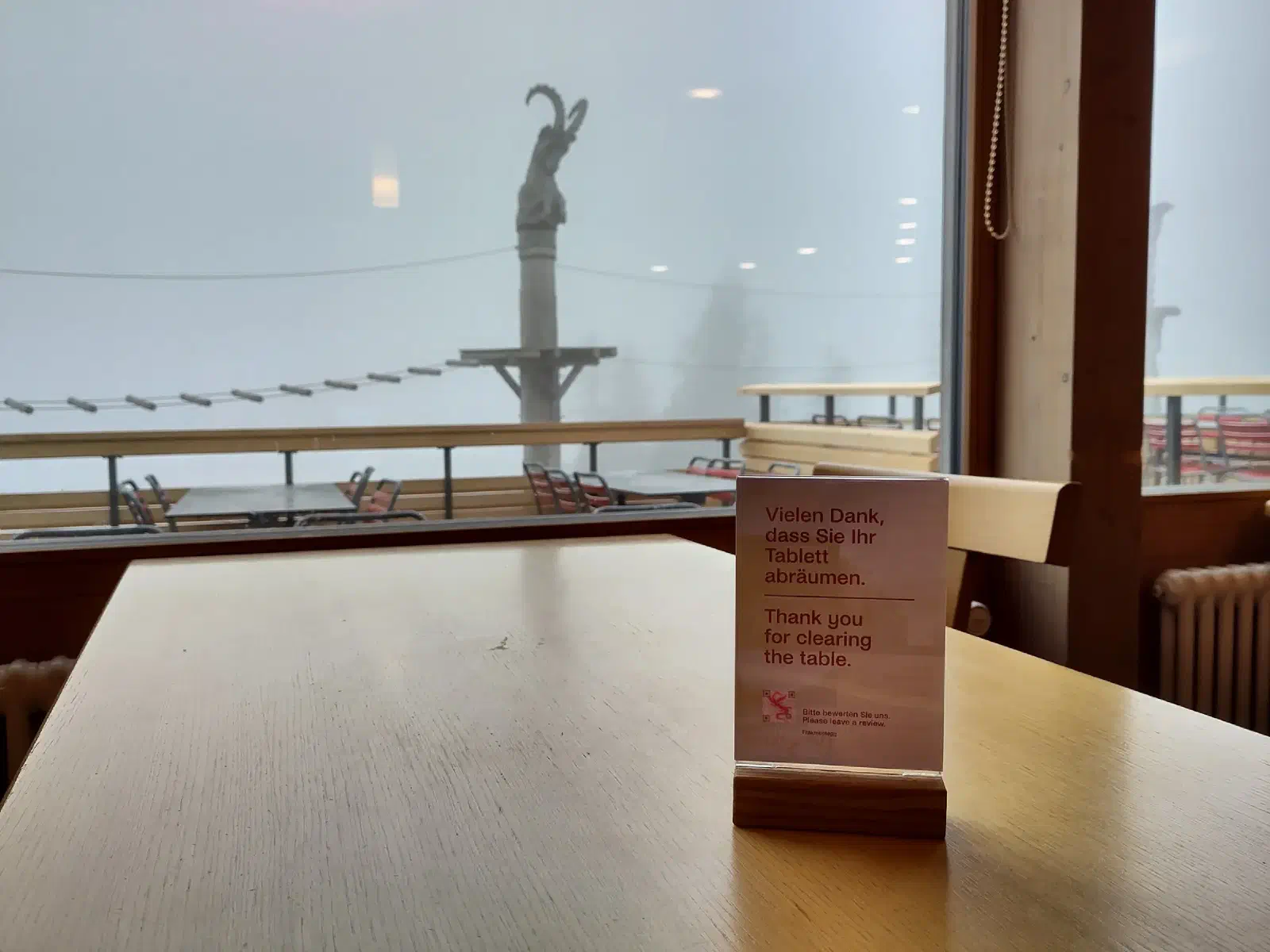


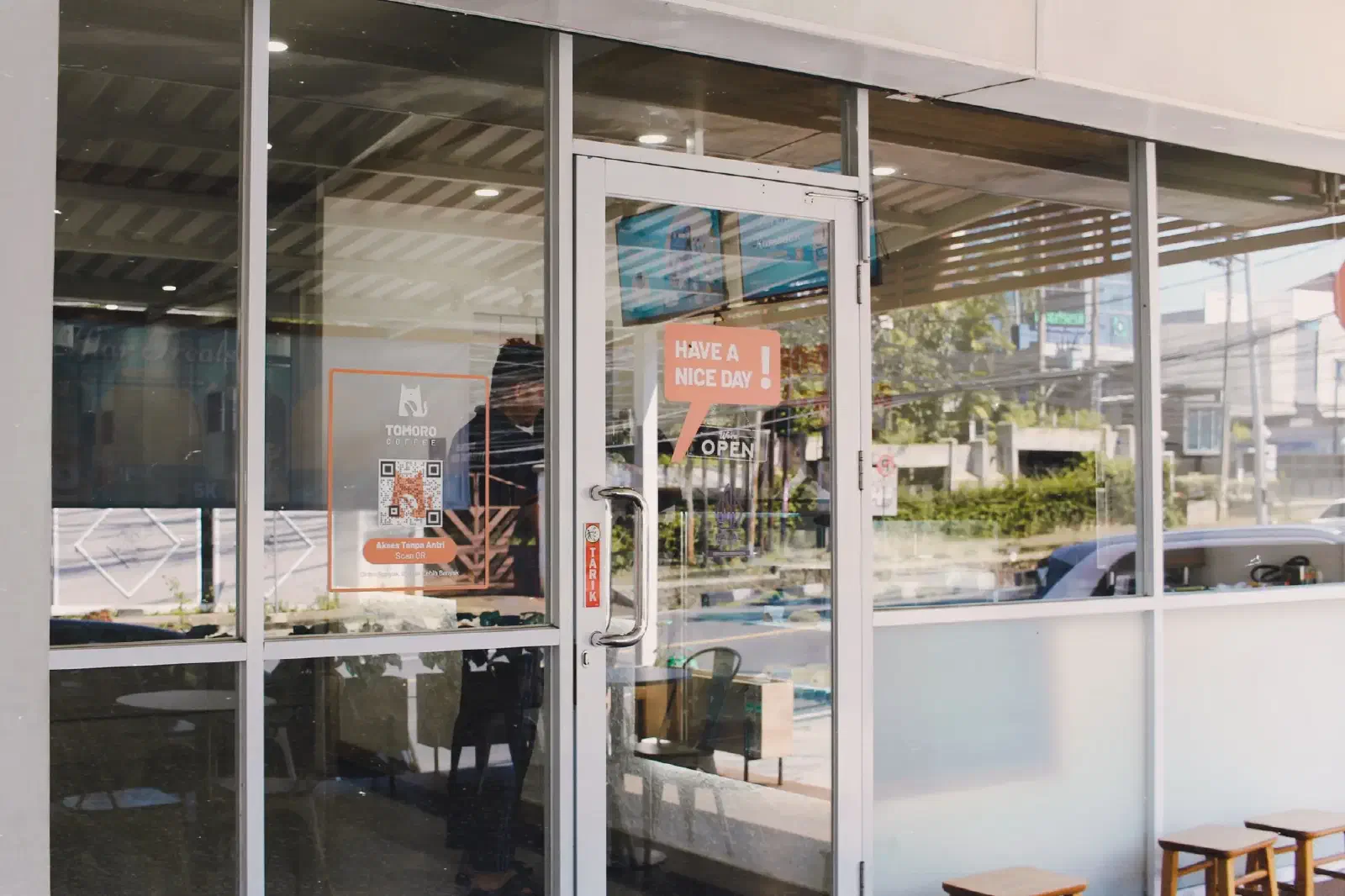
Using a Picture QR Code in your restaurant? I’d love to feature it here. Send me a photo via the feedback form (pick Submit gallery image), and if it makes it into the gallery you get free Premium access as a thank-you.
Free vs Premium
Both versions produce the same code. Premium adds the print-ready export formats, removes the watermark, and covers the commercial use that menus, signage and packaging count as.
-
FREE
Free
0 /forever
- Beautiful Picture QR Codes
- Standard PNG download
- Unlimited test scans
- Works with every smartphone
- Includes “pictureqrcode.com” attribution
-
MOST POPULAR
Premium
CHF 29.90 (≈ EUR 34 / USD 40)
- Everything in Free, plus
- High-res 4000×4000 PNG for print
- Scalable SVG export, vector-perfect
- No “pictureqrcode.com” watermark
- Advanced pattern, mirror & mask controls
- 3 months of Premium — generated QR codes work forever
- Cleared for commercial use
Your menu code, ready before the next service
The free version is fully working: your own background, no expiry, scans anywhere. Premium is for when the code has to go to print.